
Quick answer
Buying an ingredient does not finish the restock: deliver it to the venue, use the storage its item details require, then verify the restaurant has it. The opening Into Indie Games walkthrough places chicken in the noodle bar's refrigerator. Official patches also address refrigerated capacity and spoiled-food cleanup.
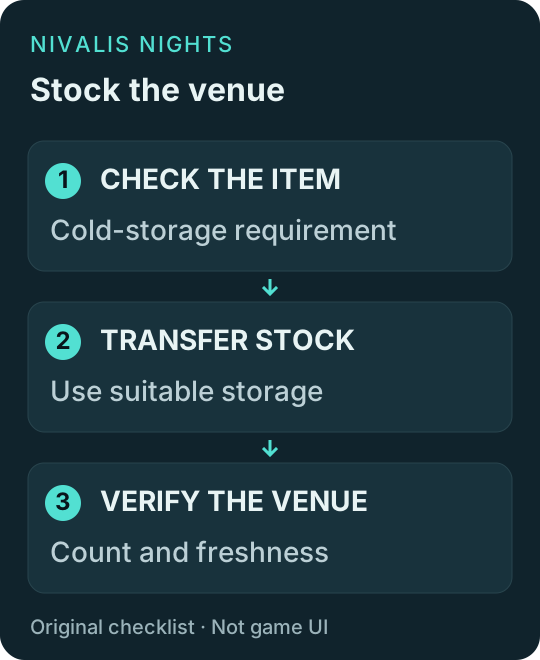
Original checklist diagram, not an in-game screenshot.
Restock in three checks
- Inspect the ingredient's storage requirement and freshness information before buying a large batch.
- Return to your restaurant and interact with its storage. Transfer the items you intend that venue to use; do not assume food still carried by your character is available there.
- Check the venue inventory and the active dish's requirements. A large total stock is not useful if the one required ingredient is missing.
The walkthrough documents the refrigerator interaction. Exact transfer button labels and capacity depend on the current interface, so read the prompt in your save.
Fridge, freezer or ordinary storage?
| What you see | Next check |
|---|---|
| An item requires cold storage | Check refrigerated capacity before transferring it |
| A container looks like a fridge | Inspect its actual storage properties, not appearance alone |
| Food is already close to spoiling | Buy only what you expect to use; cold storage is not a promise of indefinite freshness |
| An ingredient is present but a dish is unavailable | Check the full ingredient list and required cooking equipment |
We have not verified a universal fridge-versus-freezer lifetime multiplier, every seller or a fixed capacity for every object. Do not buy a decorative item solely because its name sounds like a cooler.
What the official patches changed
The October 2 patch says configured storage values on decorative furniture now count and older ingredients are used first. The October 5 patch fixes cleanup when rotten food exists in both storage types. Check your installed version before following launch-era advice about stock order.
A manager order is also different from delivered stock: the October 5 notes place the storage notification after delivery. Inspect the venue count rather than treating an order as completed supply.
Food is bought, but the venue still reports a shortage
Compare the exact missing item with the venue-side inventory. Check for a failed transfer, full suitable storage, a changed recipe or a batch consumed while you were shopping. These are checks to narrow the problem, not a guaranteed bug fix.
For acquisition rather than storage, see where to buy Sugar. For preparation, use ingredients and recipes.
Sources and update status
Checked October 8, 2026: the linked original opening walkthrough and official October 2/5 patch notes. This site has not tested a save; UI instructions are attributed and numerical storage rules are omitted unless established.